

Cliquez ici pour lire en français
Drowning in online orders and buried under a flood of promo emails? Gmail just rolled out two updates that could change the way you track purchases and spot deals. Here’s how Google wants to turn your inbox into a shopping command center.
All your orders at a glance 🛒
No more digging through endless emails for lost confirmations or tracking numbers. Gmail is introducing a brand-new “Purchases” tab right in the main menu. One tap gives you a consolidated view of all your order-related emails—delivery updates, invoices, and package alerts included. Gmail automatically pulls out the key details so you don’t have to.
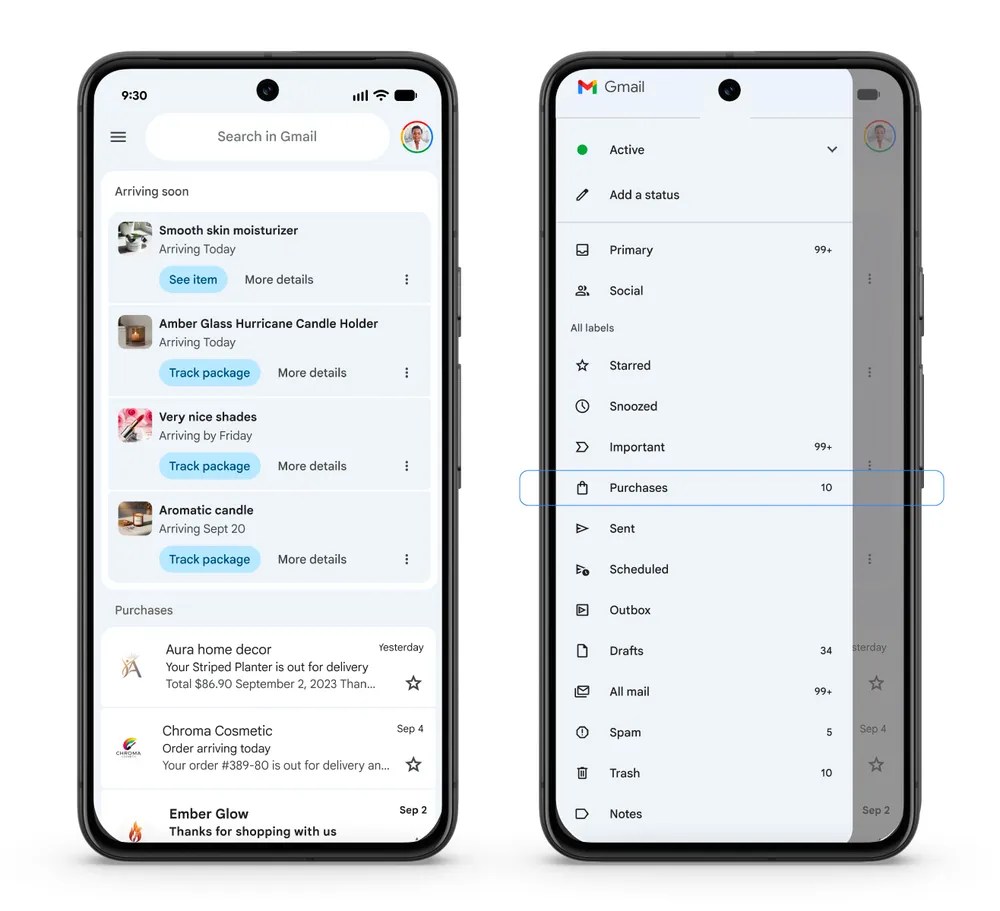
The rollout has already started on Android, iOS, and the web. All you need is a personal Google account.
💡 Quick tip: You can customize your Gmail tabs in settings to fine-tune the experience.
Promotions that actually matter🏷️
The “Promotions” tab is also getting smarter. Instead of just sorting by date, Gmail now lets you view promos by relevance—surfacing the brands and senders you interact with most. To sweeten the deal, Gmail can send you smart notifications for time-sensitive offers, like flash sales or discounts about to expire.
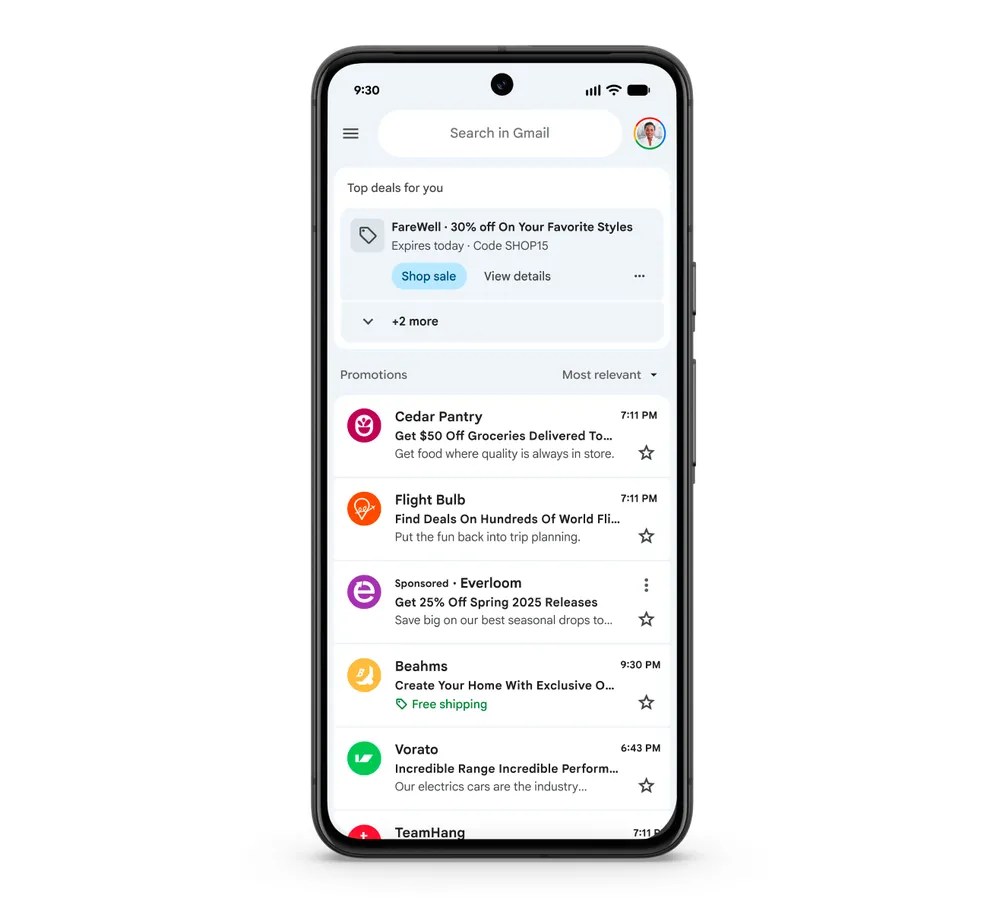
Prefer the old way? The traditional “most recent” view is still available. This update is rolling out on mobile first and applies to personal Gmail accounts.
💡 Pro tip: Turn on notifications so you don’t miss limited-time codes or exclusive offers.
Gmail as your smart shopping hub 🔮
With these updates, Gmail is positioning itself as more than just an email client. It’s becoming a shopping dashboard—a personal assistant that simplifies order management and helps you snag deals before they disappear. Just in time for sales season (and those last-minute express deliveries), Gmail is making your inbox a little smarter, and maybe even a little more fun.
What do you think?
Would you use Gmail as your shopping sidekick? Share your thoughts—and your digital shopping habits—in the comments.
📱 Get our latest updates every day on WhatsApp, directly in the “Updates” tab by subscribing to our channel here ➡️ TechGriot WhatsApp Channel Link 😉


